
Ouça a Bíblia gratuitamente no seu celular.
anúncio
Ouvir a Bíblia no seu celular é uma maneira fácil de se manter conectado com a Palavra de Deus a qualquer hora e em qualquer lugar.
Com aplicativos de Bíblia em áudio, você pode ouvir as Escrituras enquanto dirige, se exercita, trabalha ou relaxa.
Muitos aplicativos também oferecem diferentes traduções da Bíblia, opção de ouvir offline, velocidade de narração ajustável e outros recursos úteis.
Neste artigo, você descobrirá 7 aplicativos gratuitos e confiáveis Para ouvir a Bíblia no seu celular e aprender como começar a usar cada um dos recursos.
Aplicativo bíblico YouVersion
Aplicativo bíblico YouVersion É um dos aplicativos bíblicos mais conhecidos do mundo e oferece uma ampla variedade de recursos para quem deseja ler ou ouvir a Bíblia gratuitamente.
anúncio
Além de oferecer centenas de traduções em vários idiomas, incluindo português e espanhol, o aplicativo possui diversas versões com recursos de áudio, permitindo que os usuários acompanhem a narração das Escrituras de forma simples e intuitiva.
Uma das grandes vantagens do YouVersion são seus planos de leitura, que ajudam milhões de pessoas a criar uma rotina diária de interação com a Bíblia.
Muitos desses planos também podem ser acompanhados por recursos de áudio.
O aplicativo também permite baixar conteúdo para acesso offline, criar marcadores, destacar versículos e compartilhar trechos com amigos e familiares.
Como usar o YouVersion para ouvir a Bíblia
- Baixe o aplicativo bíblico YouVersion.
- Escolha o idioma e a tradução desejados.
- Abra um livro ou capítulo da Bíblia.
- Toque no ícone de áudio para iniciar a reprodução.
- Baixe os capítulos para ouvir offline.

Bíblia.é
O Bíblia.é É uma das melhores opções para quem busca uma experiência totalmente focada em ouvir a Bíblia.
O aplicativo apresenta uma vasta coleção de gravações de áudio das Escrituras, com narração de alta qualidade que torna a experiência mais envolvente e agradável.
Além da Bíblia em áudio, oferece diversas traduções e permite o acesso a conteúdo em diferentes idiomas.
Essa variedade faz dela uma ótima opção para pessoas que desejam ouvir a Palavra de Deus em seu idioma preferido.
Outro aspecto positivo é a possibilidade de baixar capítulos para ouvi-los mais tarde sem precisar de conexão com a internet.
Como usar Bíblia.é
- Instale o aplicativo no seu celular.
- Selecione o idioma de sua preferência.
- Escolha uma tradução disponível.
- Ative a função de áudio.
- Baixe os capítulos para ouvir offline.
Portal da Bíblia
Portal da Bíblia É uma plataforma amplamente utilizada por pessoas que buscam estudar a Bíblia com maior profundidade.
Além da leitura tradicional, o aplicativo oferece versões em áudio, permitindo que você ouça diferentes traduções das Escrituras enquanto acompanha o texto.
Uma de suas principais funcionalidades é a ferramenta de busca, que facilita encontrar rapidamente capítulos, versículos e tópicos específicos.
O aplicativo também inclui comentários e referências que ajudam a compreender melhor o contexto de cada passagem bíblica.
Como usar o Bible Gateway
- Baixe o aplicativo oficial.
- Escolha uma versão em áudio da Bíblia.
- Procure o livro ou capítulo desejado.
- Comece a reproduzir o áudio.
- Salve seus trechos favoritos.
Bíblia.com
O Bíblia.com O aplicativo oferece uma experiência simples e acessível para quem deseja ouvir a Bíblia diariamente.
Com uma interface de fácil navegação, permite encontrar rapidamente livros, capítulos e versões de áudio disponíveis.
Além disso, o aplicativo oferece planos de leitura, reflexões e conteúdo devocional que podem acompanhar sua jornada espiritual.
É uma ótima opção para quem está começando a desenvolver o hábito de ouvir as Escrituras todos os dias.
Como usar o Bible.com
- Instale o aplicativo.
- Cadastre-se gratuitamente.
- Escolha uma Bíblia com áudio disponível.
- Selecione o capítulo desejado.
- Comece a ouvir as Escrituras.
Bíblia Sagrada em Áudio
Existem vários aplicativos chamados Bíblia Sagrada em Áudio, Disponível para Android e iPhone, cujo principal objetivo é facilitar o acesso às Escrituras narradas.
Esses aplicativos geralmente apresentam navegação simples, ideais para quem deseja apenas abrir o aplicativo e começar a ouvir a Bíblia sem configurações complicadas.
Muitos deles permitem salvar capítulos favoritos, acompanhar o progresso da leitura e usar o conteúdo offline após o download.
Como usar a Bíblia Sagrada em formato de áudio
- Procure o aplicativo na loja de aplicativos do seu celular.
- Instale a opção com boas avaliações.
- Escolha o livro da Bíblia desejado.
- Ativar o modo de áudio.
- Salve seus capítulos favoritos.
Bíblia em Áudio Diária
Bíblia em Áudio Diária É um aplicativo criado especialmente para aqueles que desejam acompanhar a Bíblia diariamente por meio de gravações de áudio.
O objetivo principal é ajudar os usuários a desenvolver uma rotina espiritual, ouvindo pequenos trechos das Escrituras todos os dias.
Além de narrar a Bíblia, o aplicativo oferece conteúdo complementar que auxilia na reflexão e compreensão das passagens.
Como usar a Bíblia Diária em Áudio
- Baixe o aplicativo.
- Escolha seu idioma.
- Comece seu plano de áudio diário.
- Ouça os capítulos indicados.
- Continue acompanhando diariamente.
Ouça a Bíblia a qualquer hora, em qualquer lugar.
Como você já deve ter percebido, ouvir a Bíblia gratuitamente no seu celular se tornou uma maneira simples de se manter em contato com a Palavra de Deus diariamente.
Com esses aplicativos, você pode transformar momentos comuns da sua rotina em oportunidades de reflexão e aprendizado espiritual.
Cada ferramenta possui características diferentes. Algumas se destacam pela qualidade do áudio, outras pelos planos de leitura e recursos de estudo.
O mais importante é escolher um aplicativo que combine com seu estilo e criar o hábito de reservar alguns minutos por dia para ouvir as Escrituras.
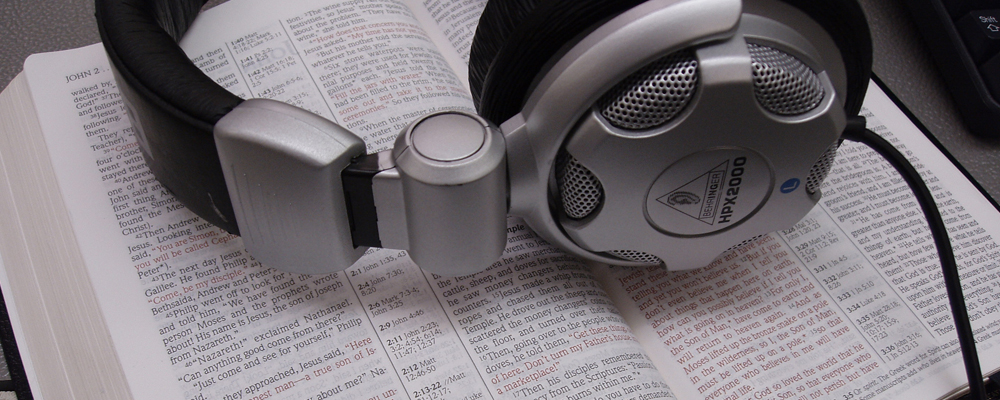
Baixe um aplicativo gratuito da Bíblia em áudio, coloque seus fones de ouvido e leve a Palavra de Deus com você aonde quer que vá.
Mantive a mesma estrutura do artigo anterior, mas alterei o foco de “Lendo a Bíblia no seu celular” para “Ouça a Bíblia em formato de áudio”, que também combina bem com campanhas de aplicativos e anúncios.